
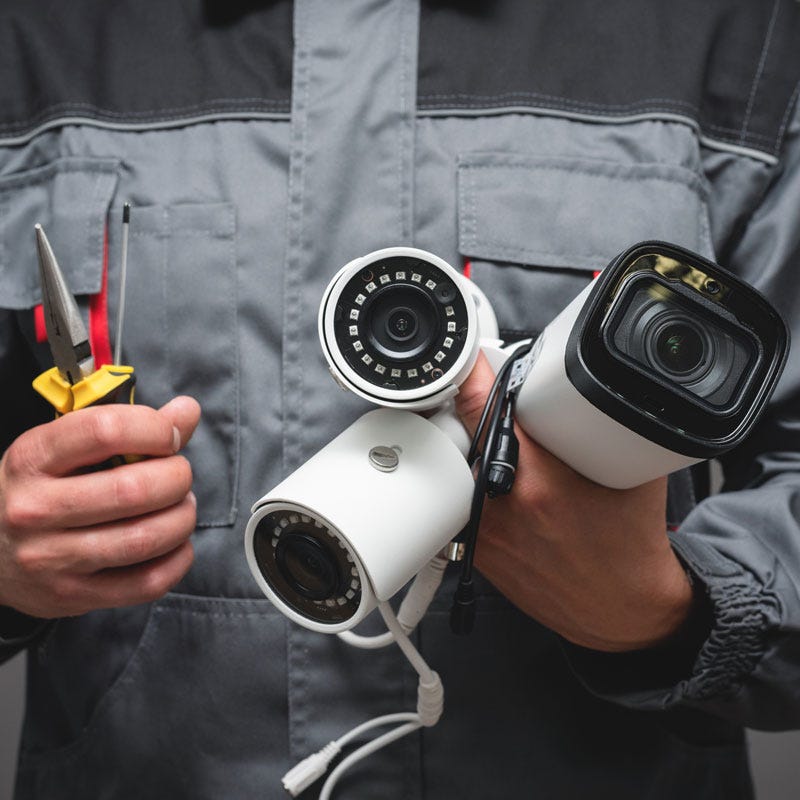
Home CCTV systems protect your property and give you clear visibility around entry points. Many homeowners face issues that reduce clarity or break recording patterns. A common question appears when cameras start to fail. What is the common problem of a CCTV camera. The answer depends on wiring, power, lens condition, sensor quality, network stability, and placement. Meg Security Solutions works with many residential and commercial CCTV setups and sees common patterns that repeat across various brands and models. This guide explains these problems, their causes, and effective solutions so you improve home CCTV solutions with accurate information.
Blurry or Out of Focus Footage
Blurry images are one of the most frequent complaints. Several issues cause this.
Dirty lenses
Dust and fingerprints distort detail.
Incorrect focus settings
Manual focus cameras lose clarity if bumped or installed poorly.
Low resolution
Low resolution cameras fail to capture detail at distance.
Night vision glare
Infrared reflection reduces clarity at close range.
To fix these issues, clean the lens with microfiber cloth, adjust focus, upgrade resolution, or reposition the camera to avoid reflective surfaces.
Image Flickering or Distortion
Flickering occurs due to unstable power or interference.
Unstable voltage supply
Fluctuations weaken camera performance.
Long cable runs
Cables lose power over long distances.
Electrical interference
High voltage lines create signal disturbance.
Poor connectors
Loose BNC or network connectors reduce stability.
A stable power supply, shorter cable routes, and shielded wires reduce distortion.
Night Vision Failure
Night vision problems appear when LEDs weaken or settings are incorrect.
Dirty infrared LEDs
Blocks light output.
Weak IR strength
Shortens night viewing distance.
Reflective surfaces near the camera
Causes whiteout or glare.
Incorrect exposure settings
Produces dark or washed out images.
Night performance improves with long range IR, clean LED surfaces, and correct positioning.
No Video Signal or Camera Offline
Camera loss is a major issue for home CCTV solution monitoring.
Power loss
Damaged adapters stop power flow.
Loose cable connectors
Disconnection stops video output.
Faulty DVR or NVR ports
Breaks the link between camera and recorder.
Network issues
For IP cameras, weak WiFi or incorrect IP settings disconnect the stream.
Regular inspection of connectors and voltage improves uptime.
Moisture Inside the Camera
Moisture shortens lifespan and affects clarity.
Poor sealing
Gaps allow rain or humidity inside.
Heat cycles
Create condensation.
Outdoor placement without protection
Exposes sensors to moisture.
Moisture problems reduce sensor life. Use waterproof housings and correct outdoor ratings for cameras.
Footage Not Recording
Users often find missing footage even though cameras show live video.
Full hard drive
Stops new recordings.
Incorrect recording schedule
The system records at the wrong hours.
Faulty hard drive
Stops saving footage.
Wrong motion detection settings
The system ignores movement or triggers too late.
Clear schedules, healthy drives, and correct detection zones maintain consistent recording.
Motion Detection Trigger Problems
Motion detection often fails when settings are incorrect.
Too large detection zones
Triggers false alarms.
Too small detection zones
Misses movement.
Moving branches or pets
Trigger unwanted alerts.
Low light motion issues
Sensors fail to pick movement correctly in darkness.
Correct sensitivity settings fix most issues.
Color Distortion or Washed Out Images
Color distortion appears when sensors age or lighting affects exposure.
Direct sunlight
Causes overexposure.
LED lighting
Creates flicker or unnatural tones.
Worn sensors
Lose accuracy.
Unbalanced white balance settings
Distorts color.
Adjusting exposure, using better lighting angles, or replacing old sensors solves the issue.
Camera Not Connecting to WiFi
Wireless cameras fail when the environment blocks signals.
Weak router range
Distance reduces signal strength.
Thick walls
Block WiFi signals.
Multiple networks
Cause signal conflict.
Incorrect settings
Wrong passwords or IP addresses stop connection.
Stronger routers, extenders, or wired links improve stability.
Overheating
Overheating affects performance and shortens lifespan.
Direct sunlight
Raises temperature.
Poor ventilation
Cameras mounted inside sealed boxes trap heat.
Defective hardware
Overheats during long recordings.
Overheating causes shutdowns. Shade and proper ventilation reduce risk.
Power Supply Issues
Power problems stop cameras without warning.
Loose power supply
Disconnects randomly.
Weak adapters
Fail under load.
Shared circuits
Cause drops during peak use.
Stable, dedicated power supplies improve system reliability.
Infrared Reflection from Surfaces
IR reflection is a common night problem.
Reflective walls or gates
Throw IR back into the lens.
Glass surfaces
Cause heavy glare.
Camera placement
Too close to a wall amplifies reflection.
Move the camera slightly forward or change its angle to reduce glare.
Bandwidth Issues in IP Cameras
IP cameras depend on consistent bandwidth.
Low speed internet
Causes streaming delays.
Multiple high resolution cameras
Consume more bandwidth.
Weak router
Fails under load.
Using wired connections and strong routers improves network stability.
Bad Placement
Many CCTV problems start with placement errors.
Too high
Faces become unrecognizable.
Too low
Cameras lose wide coverage.
Facing direct sunlight
Distorts daytime footage.
Near moving branches
Triggers false motion alarms.
Correct placement increases clarity and performance.
Cable Damage
Outdoor cables face wear over time.
Rodents
Chew through cables.
Weather exposure
Weakens insulation.
Poor installation
Leaves wires unprotected.
Conduit protection and weather proof cables prevent damage.
Storage Failure
Storage is essential for surveillance.
Corrupted hard drive
Stops saving video.
Old drives
Lose efficiency over time.
Incorrect drive type
Non surveillance drives fail under continuous recording.
Using surveillance rated drives improves reliability.
Firmware Issues
Outdated firmware reduces performance.
Old firmware
Breaks compatibility.
Security vulnerabilities
Expose system risks.
Fixes
Regular updates improve stability.

Leave a Reply